How the platform works

Get started. Keep care moving.

Verify your account, connect to a care profile, and use the tools available to you. Updates and follow-ups stay with the same person.

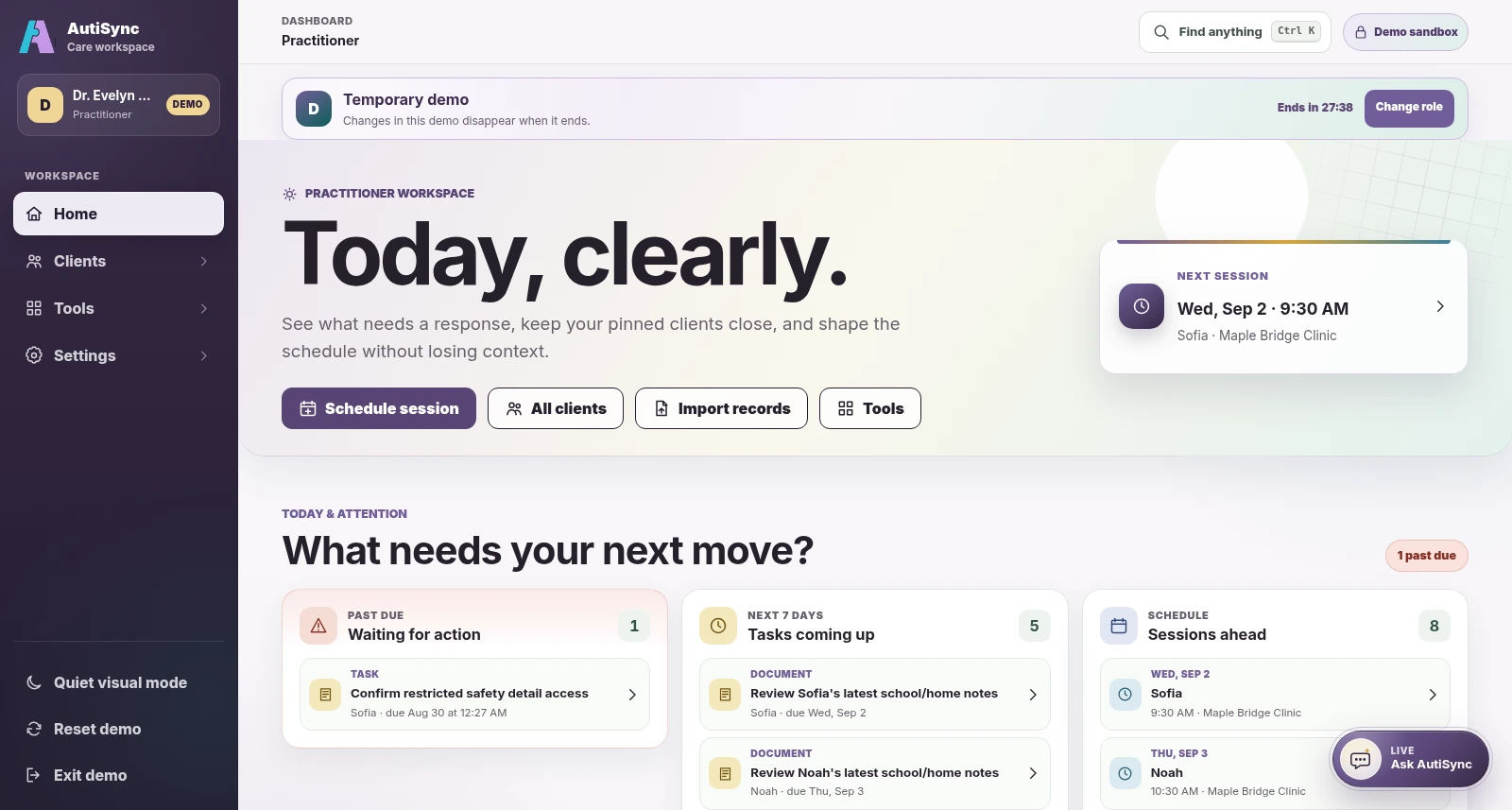
Current AutiSync Practitioner demo workspace showing the beginning of a fictional care workflow
Current Practitioner demo dashboard · fictional demonstration data.

The actual sequence

From account to follow-up.

Follow the steps in order, with access checked throughout.

  1. 01

    Request an account

    Verify your account

    Adults and care-circle participants use individual accounts after email verification and approval. Children and many other care recipients usually have protected profiles.

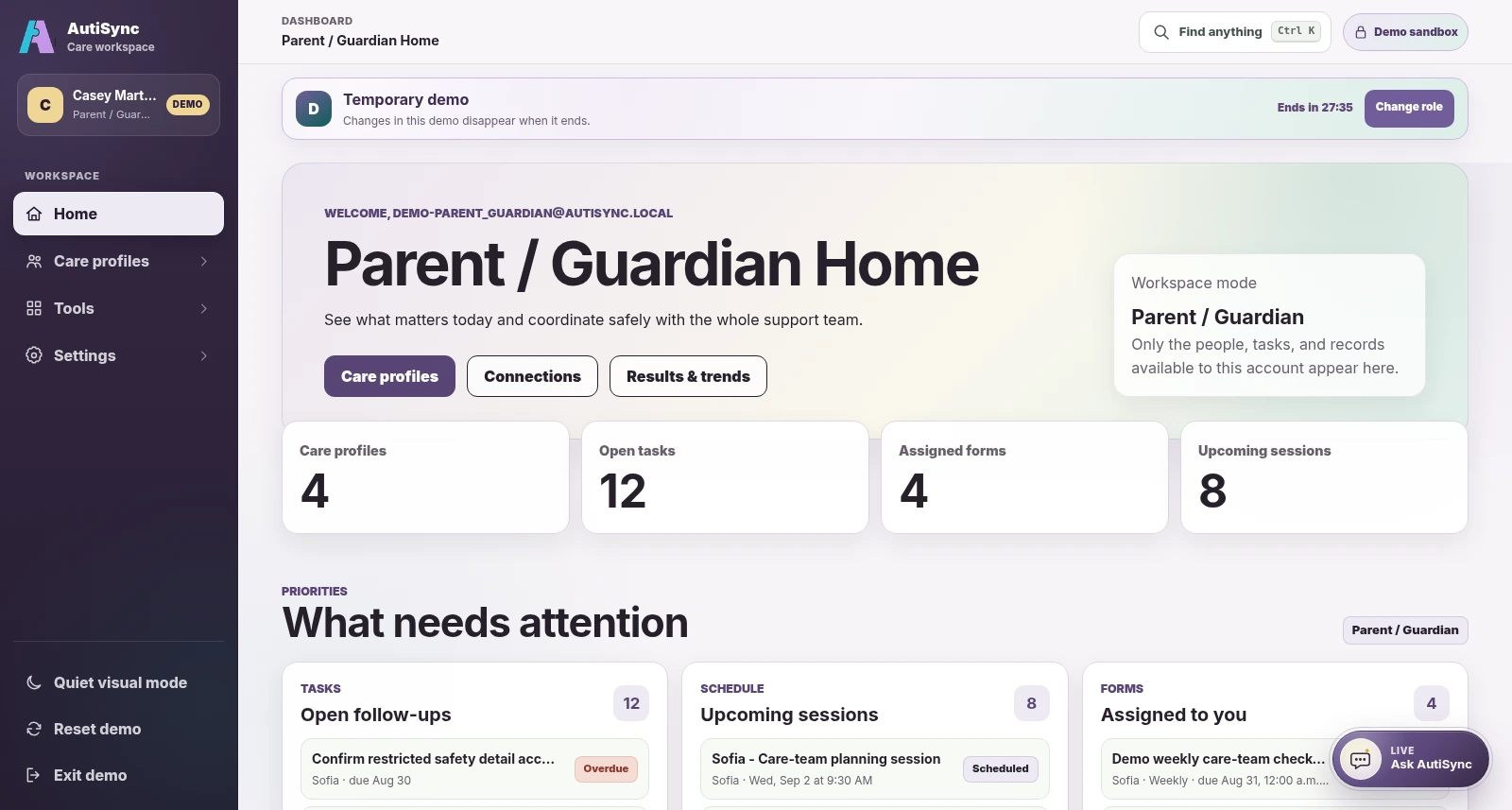
    Approved Parent / Guardian account view in the current AutiSync demo
    Current Parent / Guardian demo dashboard · fictional demonstration data.
  2. 02

    Begin with the person

    Open a care profile

    See the person’s strengths, communication preferences, support needs, and plans. Add or update information when your permissions allow.

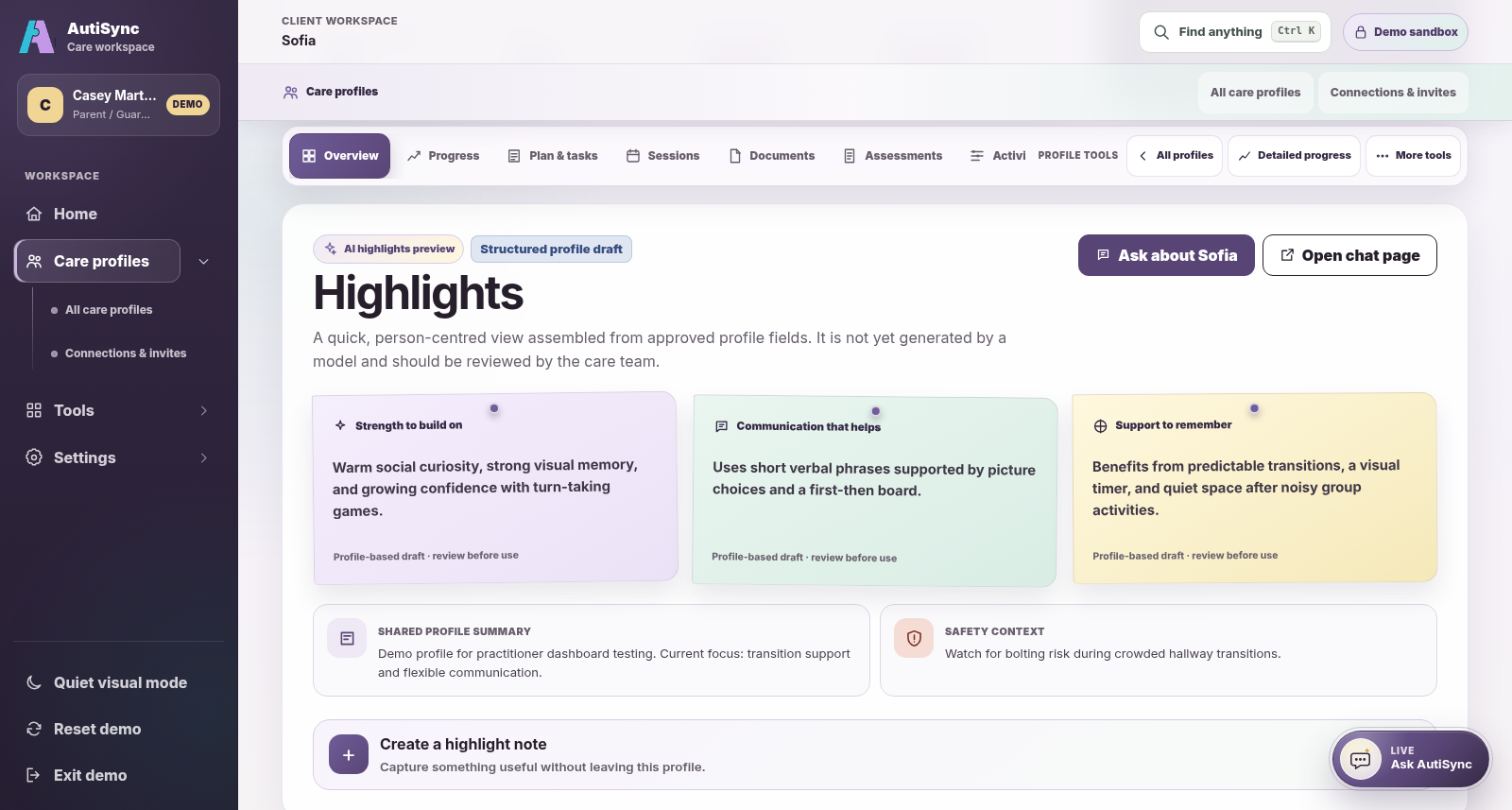
    Current fictional care profile in the Parent and Guardian demo perspective
    Current Parent / Guardian demo care-profile perspective · fictional demonstration data.
  3. 03

    Choose each connection

    Choose team access

    Profile creators manage care-team access. Delegated inviters can share only permissions they already hold. Viewing a profile does not allow care-team changes.

    Current Practitioner demo care-team access view showing fictional members and permission categories
    Current Practitioner demo care-team access view · fictional demonstration data.
  4. 04

    Use your view

    Work together

    Use permitted goals, observations, tasks, forms, sessions, messages, and files. Each stays linked to the care profile.

    Current Practitioner demo assessment results workspace with fictional data
    Current Practitioner demo assessment results workspace · fictional demonstration data.
  5. 05

    Read the change

    Review progress

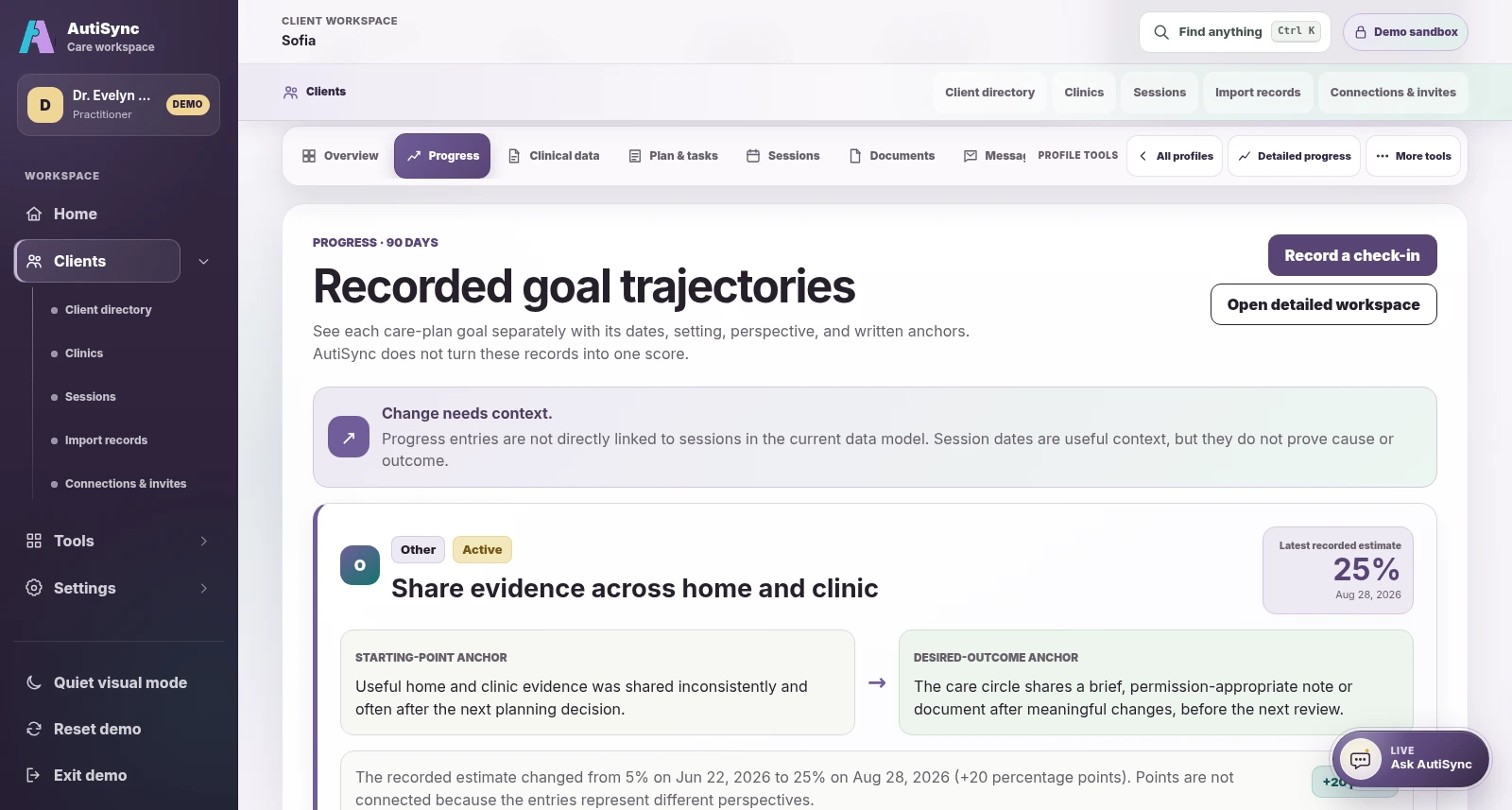
    Review dated observations and questionnaire values with their setting, contributor, and perspective. This view is not AI analysis.

    Current AutiSync goal progress surface in the Practitioner demo perspective
    Current Practitioner demo progress perspective · fictional demonstration data.
  6. 06

    Ask, then decide

    Ask for guidance

    Ask a general autism-support question, with or without an account. Eligible accounts may add permitted basic profile context where enabled. Review the answer before using it.

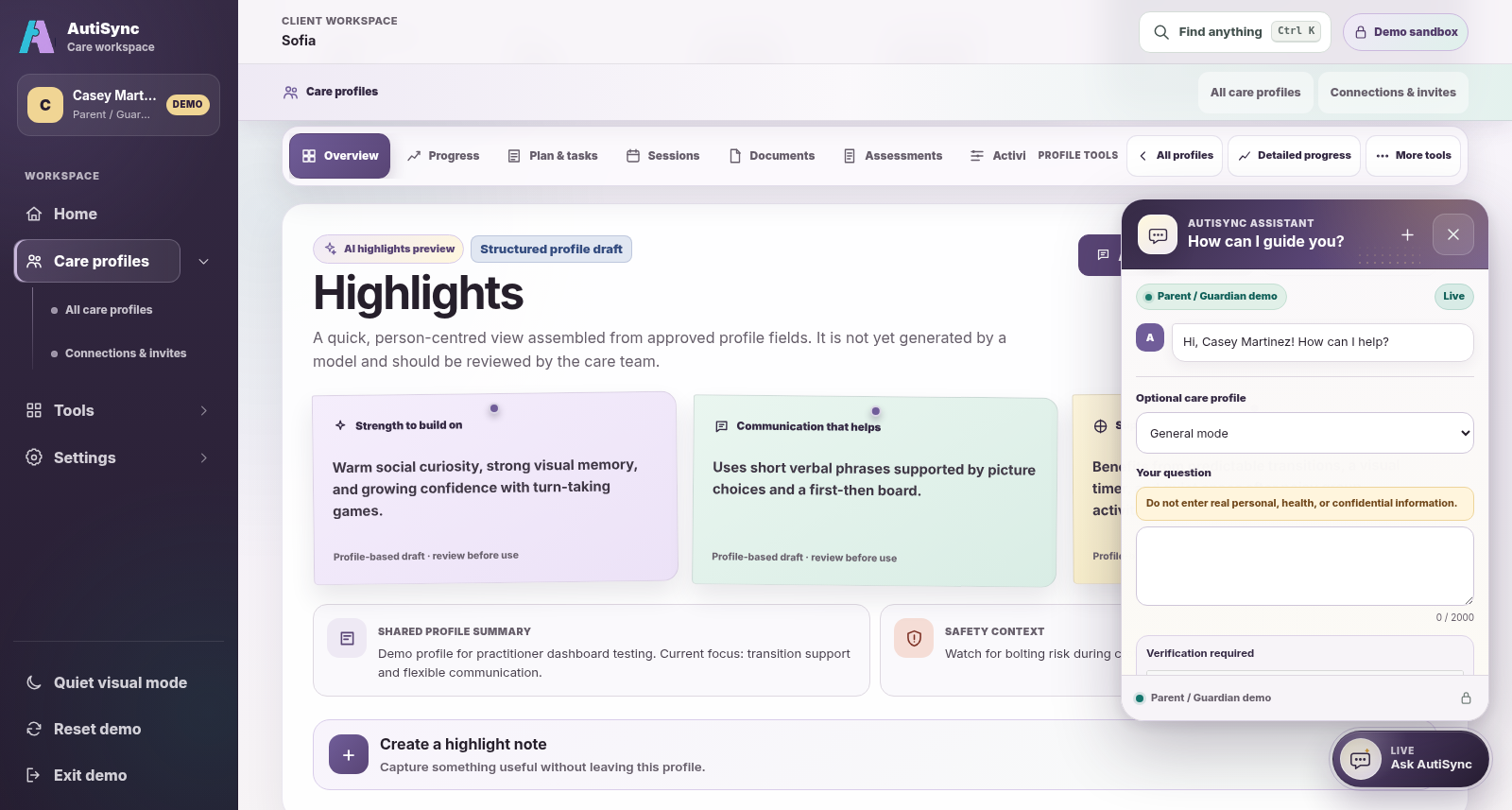
    Current Ask AutiSync panel open in the eligible Parent / Guardian demo perspective
    Current Ask AutiSync panel in the eligible Parent / Guardian demo perspective, open in General mode with no prompt or reply shown · fictional demonstration data.
  7. 07

    Keep moving

    Plan the next step

    When permitted, schedule a session or form and assign the right person. Each response stays with its care profile and scheduled occurrence.

    Current Practitioner demo calendar with fictional profile-linked sessions
    Current Practitioner demo calendar · fictional demonstration data.
AutiSync practitioner calendar with fictional demonstration profiles
Current Practitioner demo calendar · fictional demonstration data.

Sessions and calendar

Keep sessions and follow-ups connected.

Practitioners can use their calendar to prepare for and document their own sessions, then schedule the next follow-up with the same profile.

  • Move between month, week, and list views
  • Keep session ownership and status visible
  • Open profile-linked work from the session flow

Real Parent / Guardian demo

A quick tour on your phone.

Choose a step or scroll through the Parent / Guardian browser demo. These real screens use fictional records; other roles have different views.

  1. See what needs attention.

    Open your tasks, forms, sessions, and the care profiles shared with you.

  2. Open the care profile.

    Review strengths, communication preferences, goals, and the information your permissions allow.

  3. Review recorded progress.

    See goal updates with their dates, contributors, settings, and supporting notes.

  4. Ask a question.

    General autism-support questions are open to everyone. Eligible approved accounts with note-view permission can add basic profile context where enabled. Private care-vault files are not read. Review the answer before using it.

Current Parent / Guardian demo fictional demonstration data

Parent / Guardian dashboard in the current AutiSync demo
Care profile highlights in the current Parent / Guardian demo
Recorded goal progress in the current Parent / Guardian demo
Ask AutiSync panel open in General mode in the current Parent / Guardian phone demo; no prompt or reply is shown

Today: Parent / Guardian starting point selected.

See it in context

Try the workflow.