For clients and families

Keep everyday care connected.

Keep preferences, goals, daily updates, and follow-ups together. You see only the profiles and actions shared with you.

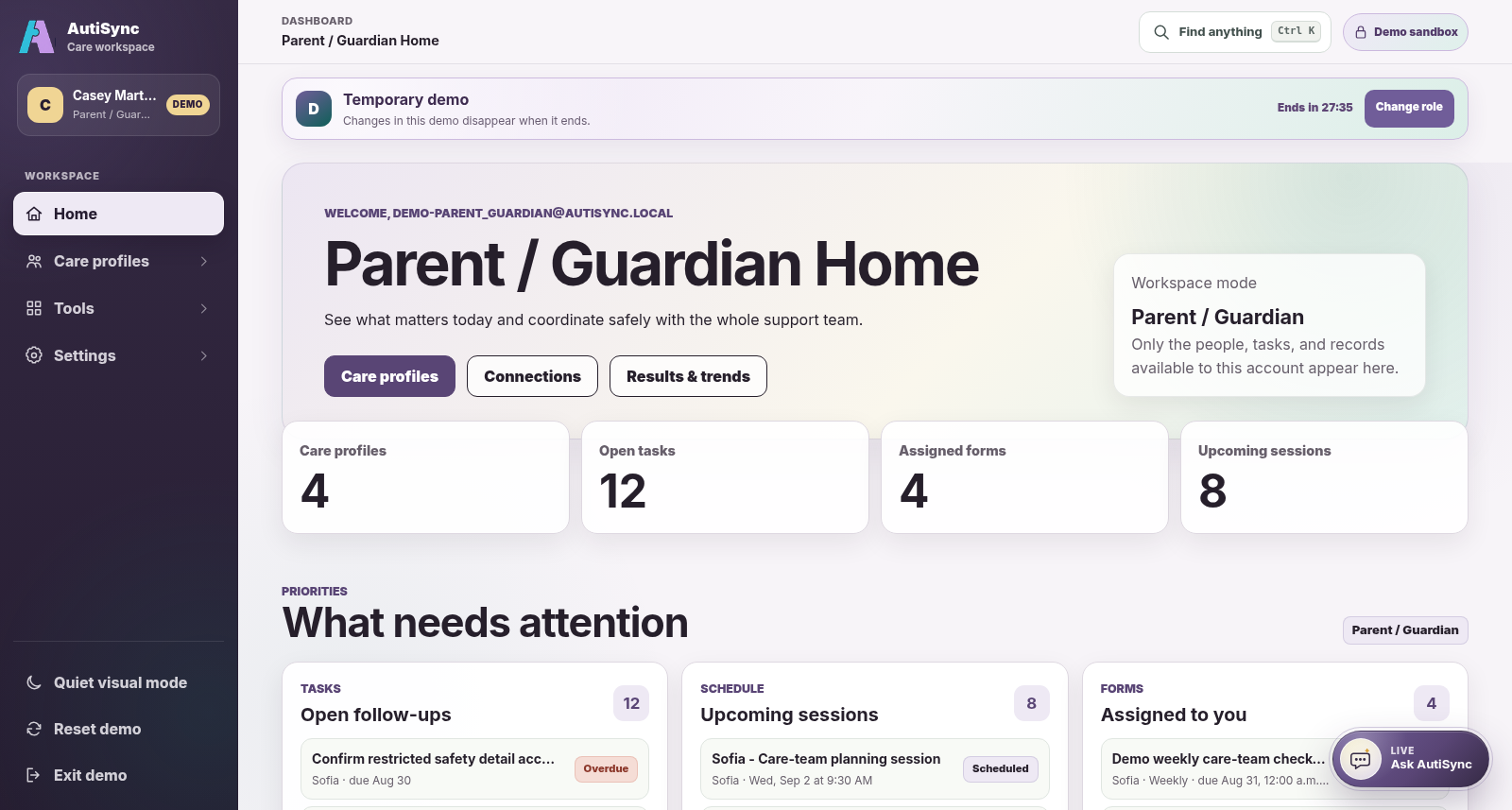
Current AutiSync Parent / Guardian demo dashboard showing permitted profiles, tasks, forms, and sessions
Current Parent / Guardian demo dashboard · fictional demonstration data.

A person-centred profile

Make room for the person’s preferences.

Autistic adults can have their own account. For a child, a parent or guardian usually manages the profile. With permission, the people around them can add strengths, communication preferences, support needs, and plans.

Your view

What you can do with AutiSync.

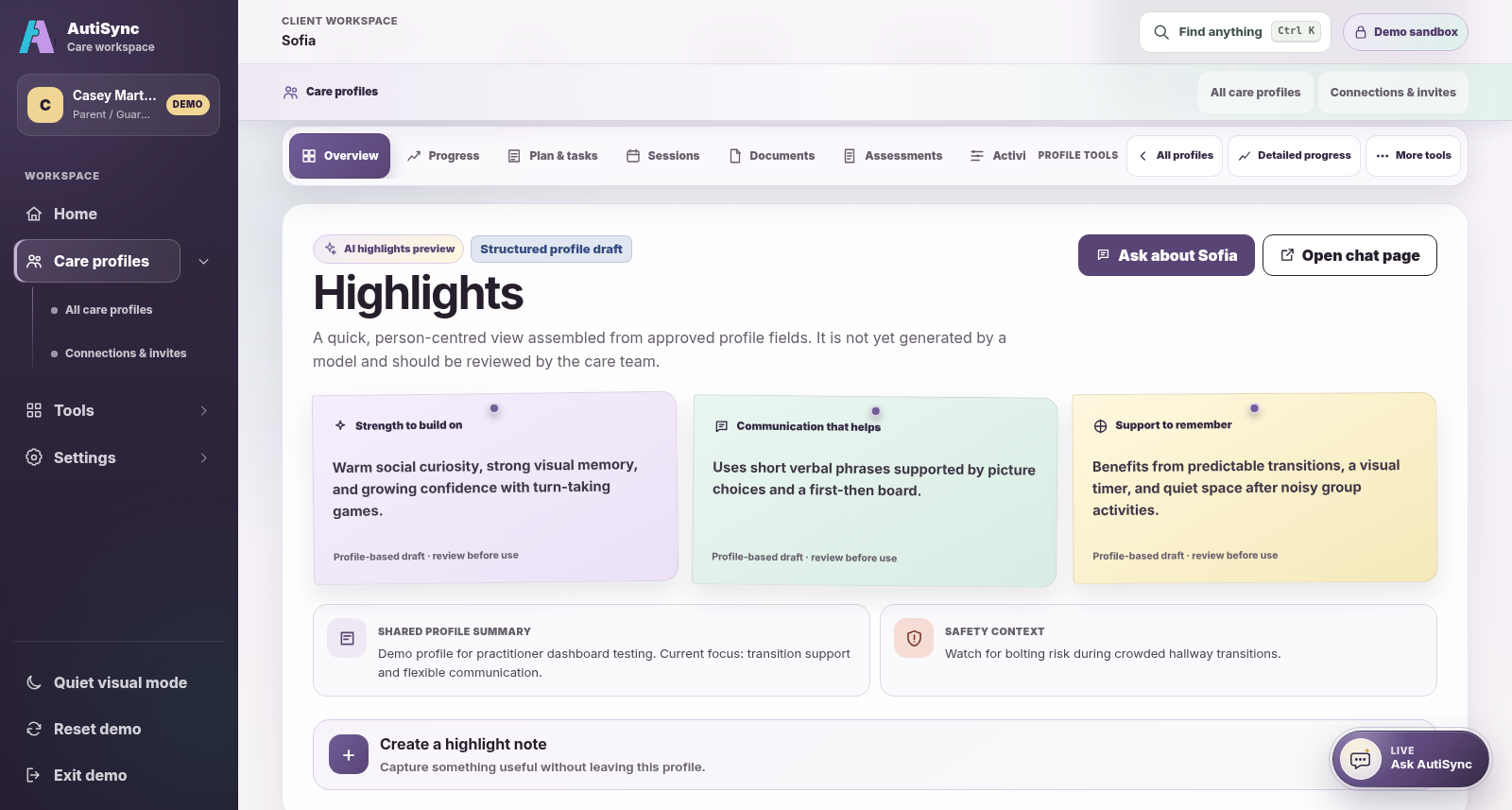
Current AutiSync care-profile view in the Parent / Guardian demo workspace on desktop and phone screens
Current Parent / Guardian demo care-profile view in a responsive browser · fictional demonstration data.

On any screen

Use the same account on your phone.

Use AutiSync in the browser on your phone, tablet, or computer. Your profiles, tasks, and access are the same everywhere. A native mobile app remains planned.

  • See only the profiles shared with you
  • Move between updates, forms, and follow-ups
  • The same access rules on every screen
Your team

Choose access for each care-team member.

Whoever manages the profile chooses its care team. People they allow to invite others can only pass on access they have themselves. Being able to see a profile does not give someone permission to change its team.

  • Share notes, plans, safety details, and forms separately
  • Give each person only the access they need
  • Change access when the team changes
Current AutiSync progress surface in the Parent and Guardian phone-browser demo perspective
Current Parent / Guardian phone-browser demo progress perspective · fictional demonstration data.

Everyday updates

Share updates from everyday life.

With permission, add notes about everyday life, fill in the forms sent to you, update your tasks, and follow progress. Each entry keeps its date and who added it.

See the connected working loop
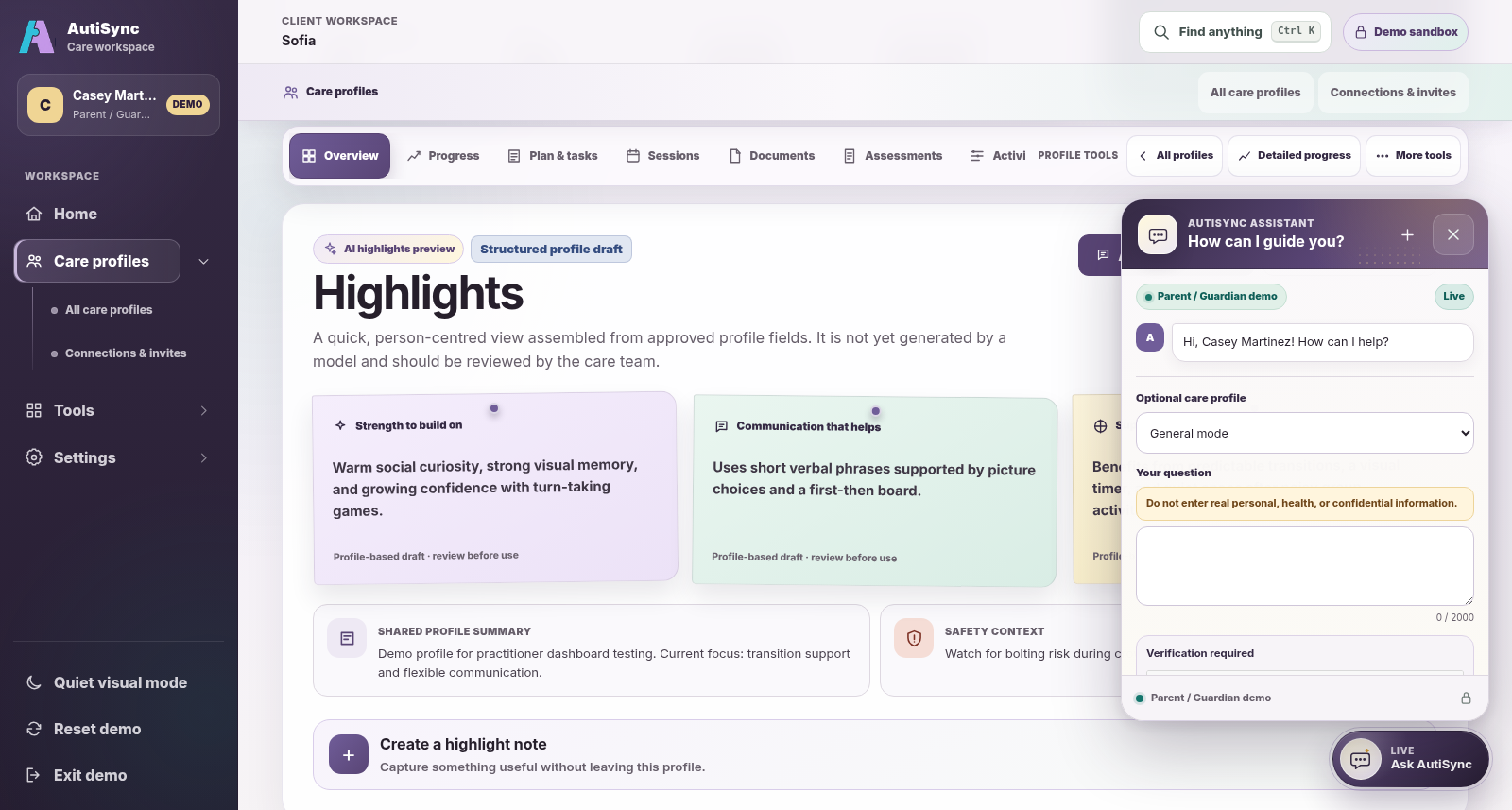
Current Ask AutiSync panel open in the eligible Parent / Guardian demo perspective

Available todayAsk AutiSyncGuidance to review, with every decision left to you.

Current Ask AutiSync panel in the eligible Parent / Guardian demo perspective, open in General mode with no prompt or reply shown · fictional demonstration data. The profile Highlights shown here are assembled from approved fields and are not AI-generated.
Available today

Ask AutiSync

Ask in everyday words.

Anyone can ask for general autism-support guidance. Where this is turned on, you can add basic details from one care profile once you are signed in, if you have permission to view notes on it. The assistant never opens the files stored in a profile. Check its suggestions against the person’s plan and your care team’s advice.

  • How can I preview a routine change?
  • What could I ask at the next appointment?

Questions from families

Good to know.

Short answers. Select a question to open it.

Do I need an invitation?

No. You can request your own account. To see someone else’s care profile, the person who manages it adds you to its team. If you were invited, use the same e-mail address the invitation was sent to.

Can I set up a profile for my child?

Yes. Once you are signed in, select Create care profile. You manage that profile, and you choose who joins its team and what each person can see or do.

Who sees what I add?

Only the people on that profile’s care team, and only the parts they have been given. Each entry keeps its date and who added it.

Is there an app?

Use AutiSync in the browser on your phone, tablet, or computer. A native mobile app is planned, but it is not in app stores yet.

Can I see recordings of sessions?

Sessions recorded with a clinic’s Auti AI Device stay with the clinic. The clinic owner decides who else can open them, so ask your clinic.

Can I look around first?

Yes. Request a demo as a parent, caregiver, or self-advocate. We e-mail you a personal link to a demo with example records. No password is needed.

Request a Parent / Guardian demo

Next step

Start your family’s care profile.