The AutiSync platform

Care tools, connected around one person.

Plans, sessions, forms, recordings, and updates stay together on one care profile. Each person sees only what they have been given access to.

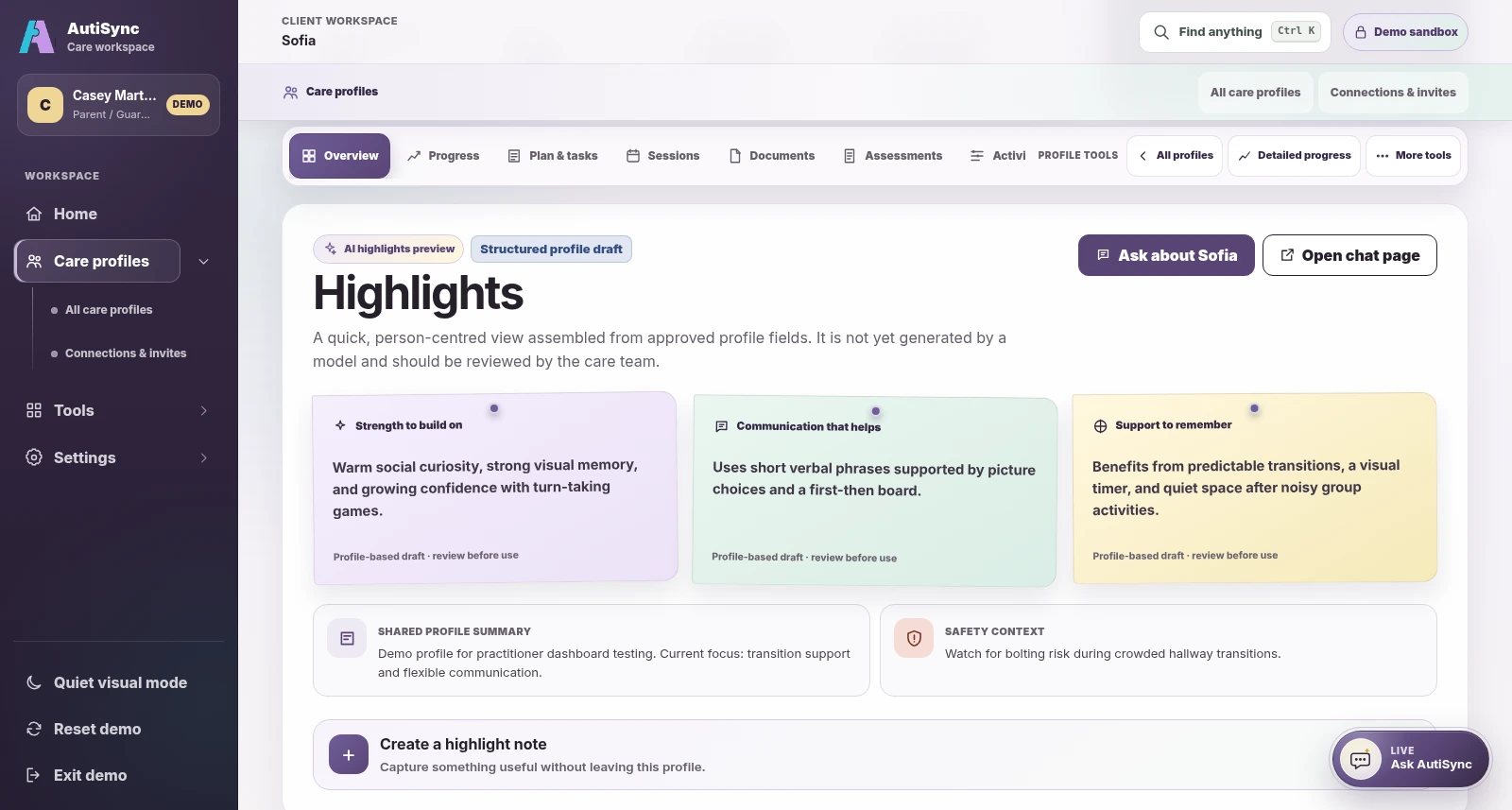
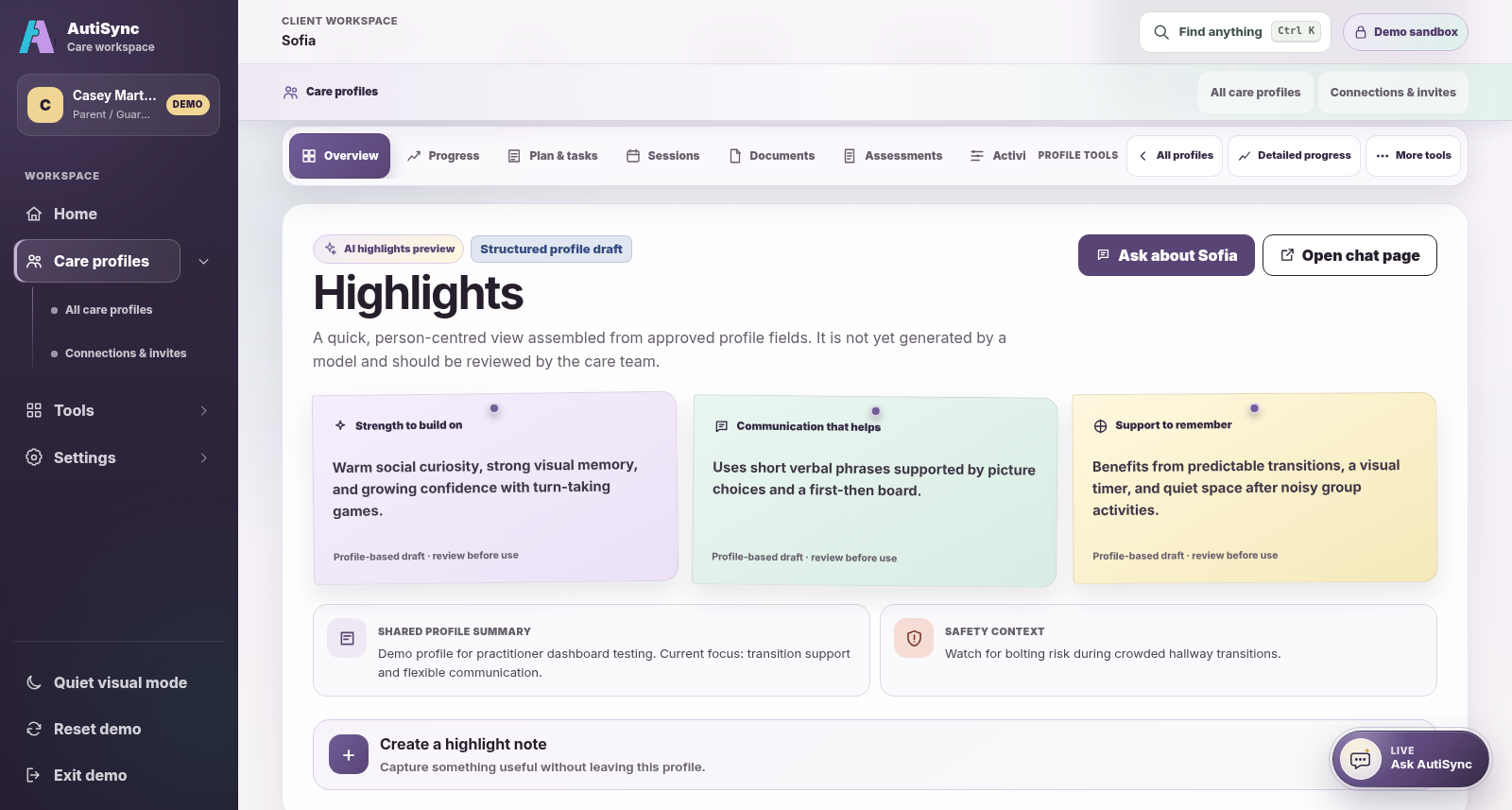
Current AutiSync Parent and Guardian view of a fictional person-centred care profile
Current Parent / Guardian demo perspective · fictional demonstration data.

Start here

What brings you to AutiSync?

Choose the answer that fits you. You will see what AutiSync does for you and where to start.

For clinic owners

Run your clinic’s care work in one place.

  • Create your clinic, add your clients, and invite your team.
  • Record sessions with the Auti AI Device. Recordings reach AutiSync by themselves.
  • You decide who uses the device and who can open each recording.

Start with an account, then select Create your clinic on your dashboard.

Request an account Set up your Auti AI Device
For practitioners

Prepare, record, and plan the next step.

  • See a client’s goals, forms, notes, and earlier sessions before you start.
  • Record in the room, or start a recording online from Auti Device.
  • Send forms and schedule the next session for the same client.

See the practitioner workspace with example clients first.

Request a demo More for providers

For parents, caregivers, and autistic adults

Stay in the loop between appointments.

  • See what your care team shares with you, on your phone or computer.
  • Fill in the forms sent to you and add notes from daily life.
  • If you manage a profile, you choose who joins its team.

See the family view with example records first.

Request a demo More for clients and families

Explore the platform

See what’s available. Explore what’s next.

Choose an area to see its preview and explanation. Status labels distinguish current tools, work in development, and ideas under exploration.

One care profileWhat’s available today and what’s next

Current tools use real demo screens with fictional records. Planned ideas use concept diagrams. Read each status label to see what is available.

Whole platform vision selected.

What’s available and what’s next

One care profile connects the work.

Explore current tools for care teams and families, then see the ideas being developed or researched. Each area states its status.

  • Available today

    Part of the current responsive web workspace.

  • In development

    Being designed and evaluated, with human review.

  • Exploration

    A direction to research, not a promised capability.

Available today

Practitioner workspace

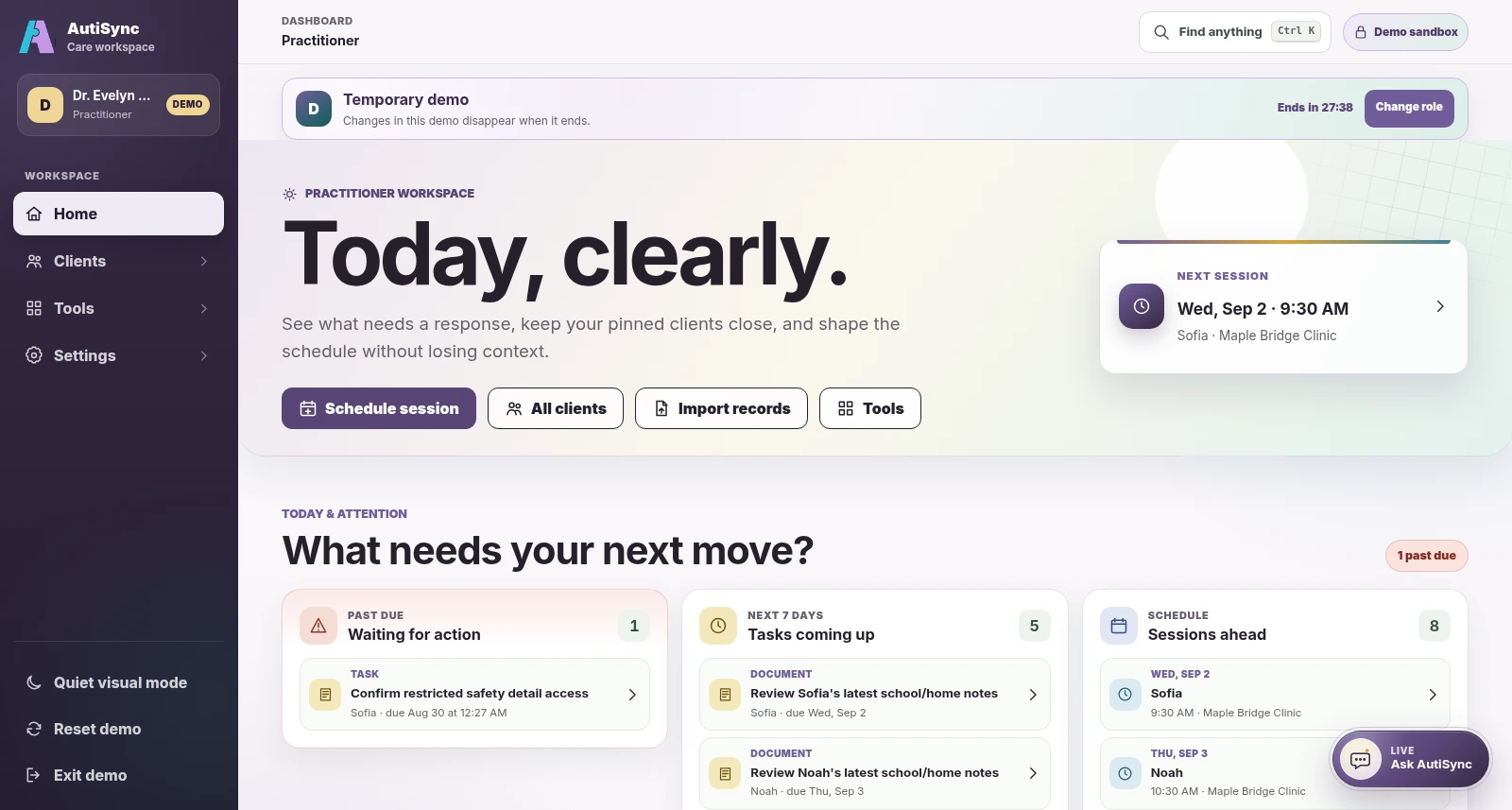
Prepare for the day’s care work.

Practitioners see their clients, the work due, sessions, forms, messages, and progress in one place. The preview shows the real workspace with made-up demo records.

Follow the provider story
Available today · responsive web

Family access

Bring everyday care into view.

Parents and caregivers use AutiSync in any browser, with the access they have been given. A native mobile app remains planned and is not in app stores yet.

See the family path
Exploration · not available today

Wearables and device signals

Explore device signals with care.

Smartwatch and sensor feeds are not available today. Any future work would require explicit participation, minimal data collection, clear controls, an accessible opt-out, and evidence that the signals are useful and accurate.

No passive surveillance. No invisible score about a person.

Exploration · not available today

Video and audio analysis

Consent before media analysis.

Recording sessions is available today with the Auti AI Device. Automated video or audio analysis is not available today. It would need clear consent, a clear purpose, limits on how long media is kept, bias checks, and validation before use.

No diagnosis, emotion inference, or automatic clinical judgement.

Available today More in development

Ask AutiSync

Ask for general guidance.

Anyone can ask a general autism-support question. Where this is turned on, signed-in accounts can choose one permitted care profile for basic context. The assistant never opens the files stored in a profile.

Source-linked summaries and report drafts remain in development, with human review required.

See assistant access and limits
Available today · record-based

Progress with context

Review recorded change.

Review goal estimates and questionnaire values with their dates, sources, settings, and notes. These records are not AI scores or proof that a session caused a change.

See the real progress view
Available today

Session records and notes

Keep records with the care profile.

Sessions, forms, tasks, messages, and files stay with their care profile, and sessions recorded with the Auti AI Device arrive on AutiSync by themselves. Each person needs the right permission to see them. AutiSync supports coordination alongside the clinical record.

Follow the working loop
In development · human reviewed

Reviewable draft support

Create a draft for human review.

Planned tools would use selected, permitted sources to prepare a summary or report draft. Dates and perspectives would stay attached, and a person would review it before anything is added or shared.

  1. 1Select
  2. 2Trace
  3. 3Draft
  4. 4Review

Available today

The tools you can use today.

Everything you add stays with the person’s care profile. Select a tool to see it.

Take the tour

See each part with real screens.

Current AutiSync Practitioner view of a fictional person-centred care profile
Current Practitioner view of a care profile · fictional demonstration data.

Care profiles

Start with the person.

Each care profile keeps the person’s strengths, communication preferences, support needs, and current plans next to the work they shape.

  • Notes, plans, tasks, sessions, and files stay with the profile
  • Each entry keeps its date and who added it
See the client and family view
Current AutiSync care-team access view with fictional members and permission categories
Current AutiSync interface · fictional demonstration data.

Team access

Choose what each person can see and do.

Whoever manages a care profile decides who joins its team and what each person can see or do. People allowed to invite others can only pass on access they have themselves. Seeing a profile does not let anyone change its team.

  • Share notes, plans, safety details, and forms separately
  • Change access when someone joins or leaves
See who can take part
Auti Device on autisync.ca while a session for the example client Sample Child is recording: the live view and an End session button
Auti Device on autisync.ca · example picture in place of the camera view.

Auti AI Device

Record sessions in the room.

The Auti AI Device records a session on video, and you can add photos and a short report. Start it on the device, or online from Auti Device on AutiSync, where you can also watch live.

  • Recordings reach AutiSync by themselves
  • They leave the device only once they are safely stored
  • The clinic owner decides who uses the device and who opens recordings
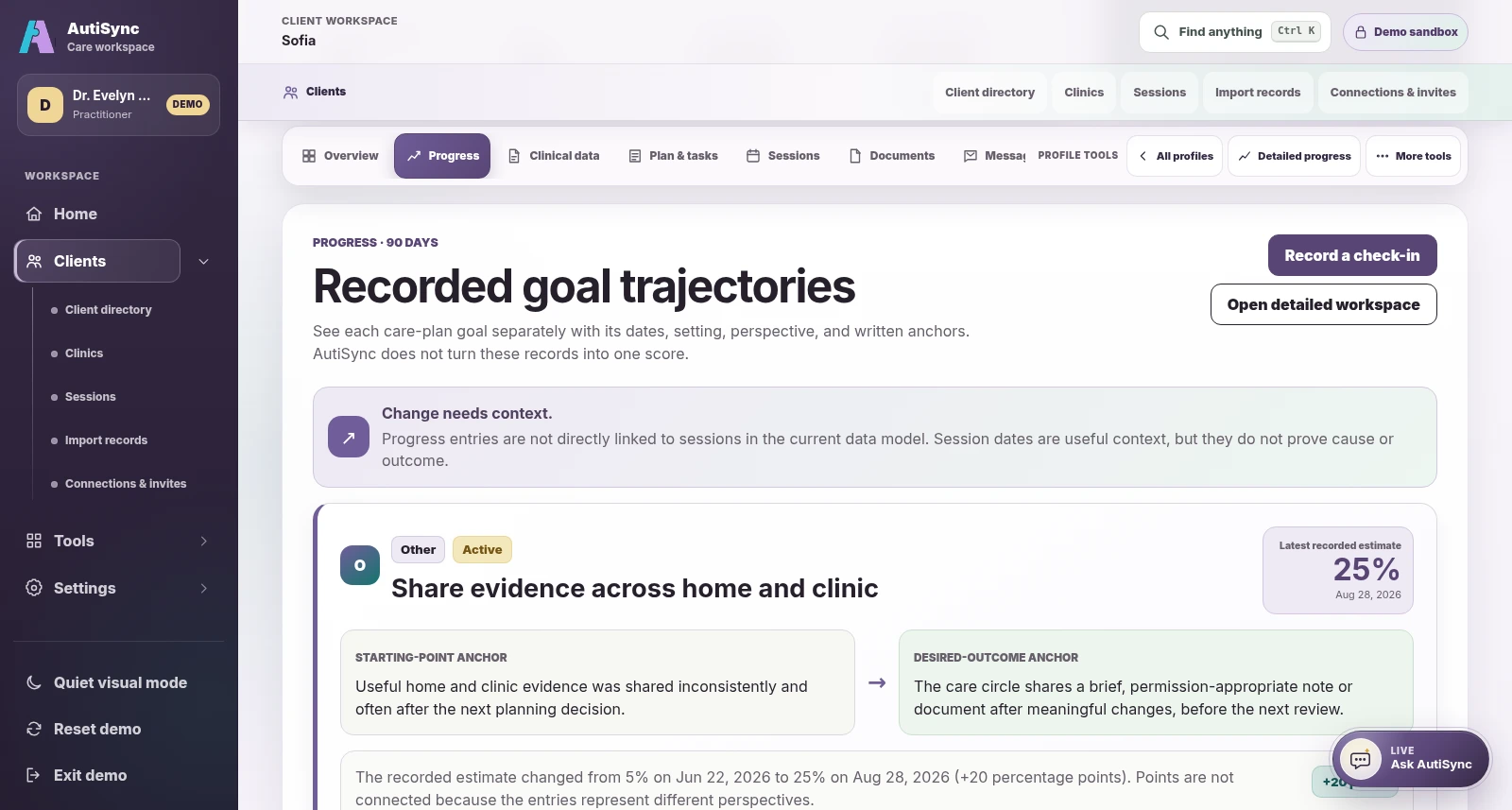
Current AutiSync Practitioner view of recorded goal trajectories retaining dates and perspectives
Current Practitioner demo perspective · fictional demonstration data.

Progress

Keep progress and its source together.

See observations, goal updates, and form answers with who added them, when, and where. Progress shows what people recorded. It is not an AI score.

See the working loop
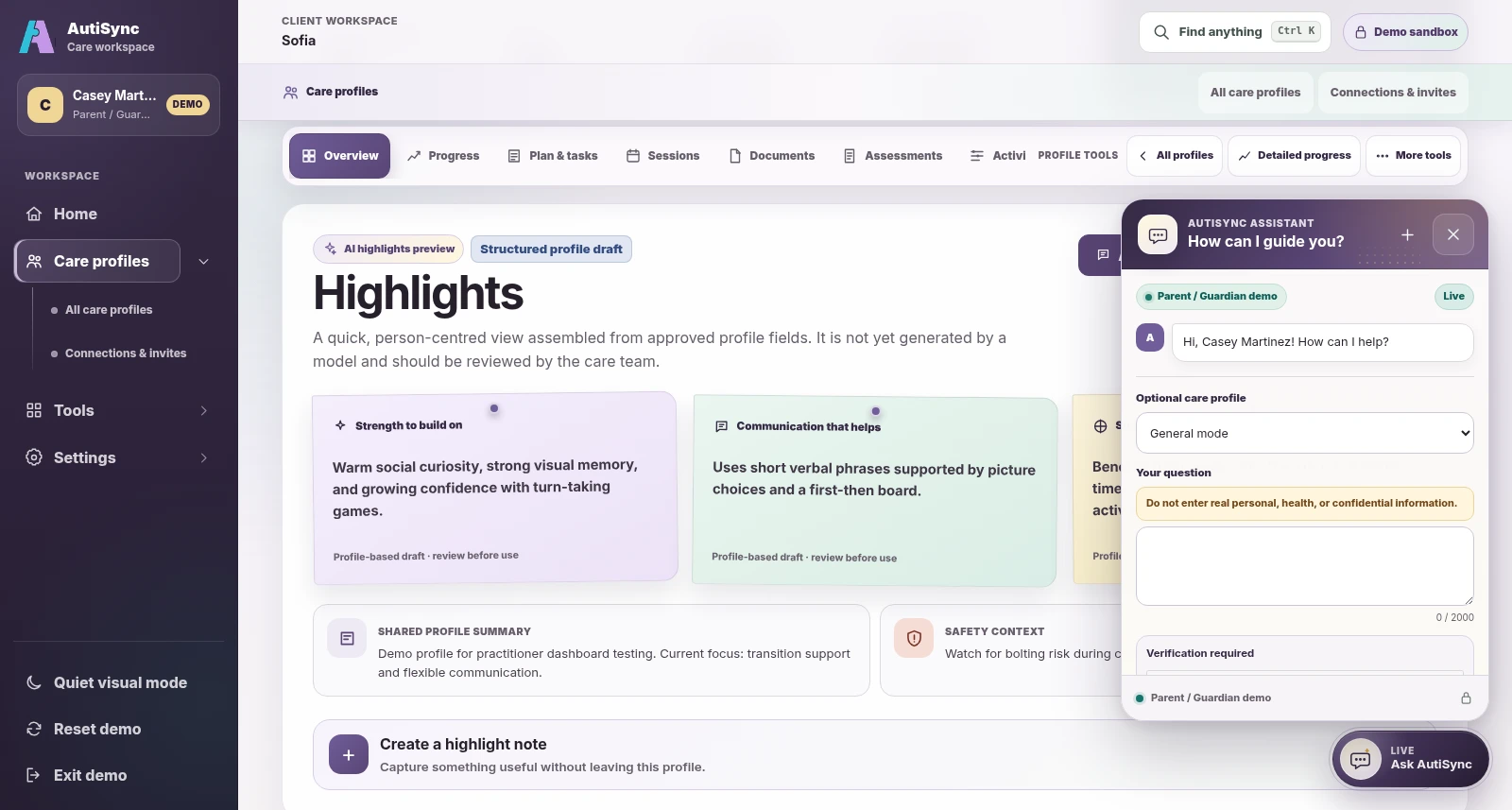
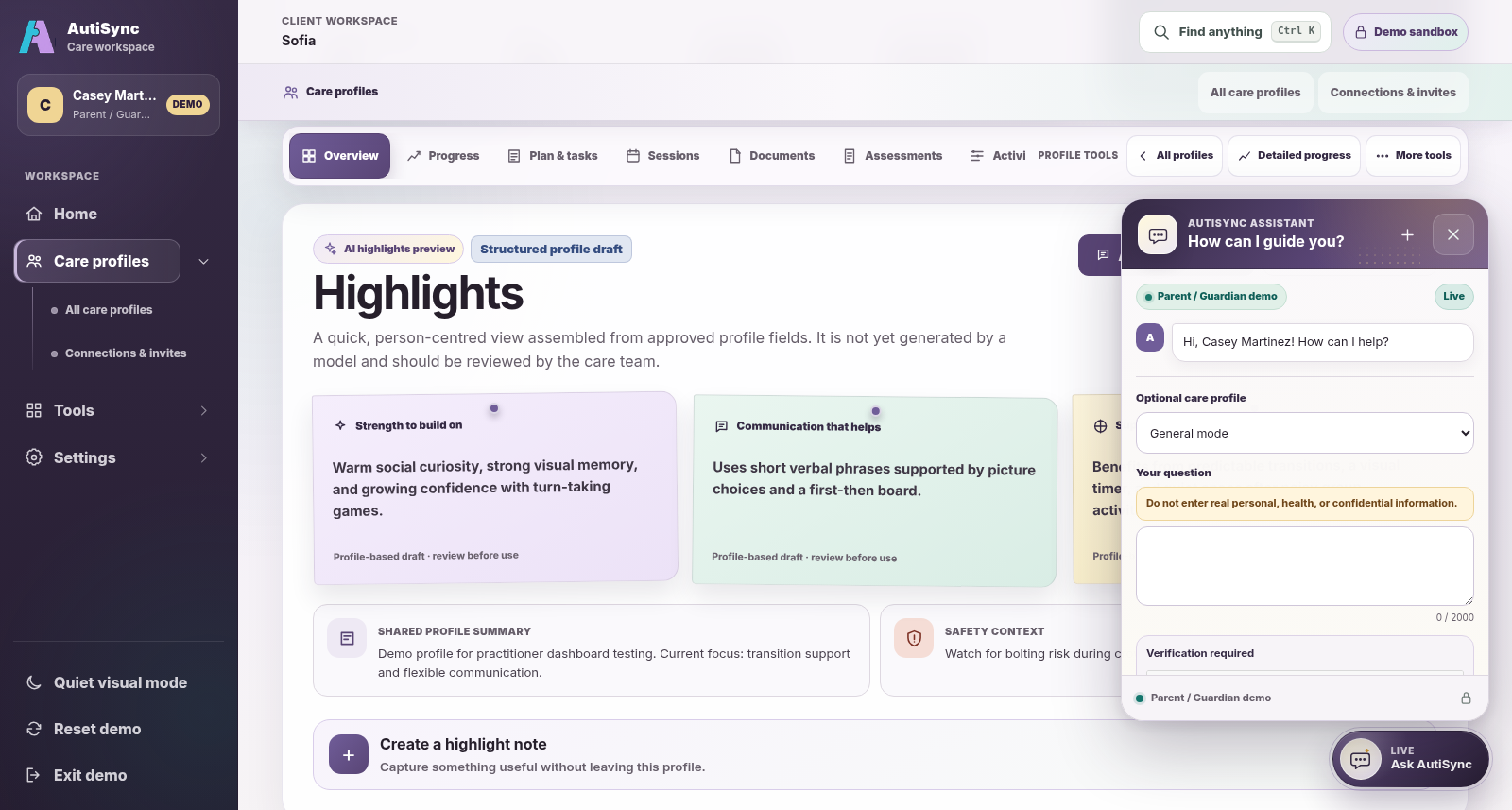
The real Ask AutiSync panel open in the Parent and Guardian demo perspective
Current Ask AutiSync entry in the Parent / Guardian demo perspective · fictional demonstration data; no prompt or model response is shown.

Ask AutiSync

Ask a question, then review the answer.

Anyone can ask a general autism-support question, without signing in. Where this is turned on, signed-in accounts can also add basic details from one care profile, if they have permission to view notes on it. The assistant never opens the files stored in a profile. Check its answer before you act on it.

Explore the assistant flow

AI direction · in development

Selected sources. Drafts for review.

We are building tools that turn information you choose, and are allowed to see, into a summary or report draft. Sources, dates, and differing perspectives would stay attached. A person would review each draft before adding or sharing it.

  1. 01Select

    Choose permitted goals, observations, forms, or session records.

  2. 02Trace

    Keep sources, dates, and differing perspectives visible.

  3. 03Draft

    Prepare a possible pattern summary or plain-language report draft.

  4. 04Review

    Edit, approve, or discard before anything is shared or added.

Choose your view

Find the tools for your role.

See how AutiSync works for clinics and practitioners, and for clients and families.

Questions

Common questions.

Short answers. Select a question to open it.

Do I need to install anything?

No. AutiSync works in the browser on a phone, tablet, or computer. A native mobile app is planned, but it is not in app stores yet.

Who can see a care profile?

Only the people on its care team. Whoever manages the profile chooses who joins and what each person can see or do. Notes, plans, safety details, and forms can be shared separately.

Does AutiSync replace our clinical record?

No. AutiSync works alongside your EHR or clinical record. Your clinical notes stay in the system your organization already uses.

Do we need the Auti AI Device?

No. Everything else in AutiSync works without it. The device adds session recording for clinics that have one.

Does the AI make care decisions?

No. Ask AutiSync answers general autism-support questions, and you check each answer. It never opens the files stored in a profile. Tools that draft summaries for a person to review are still in development.

Can I try it first?

Yes. Request a demo, choose a role, and we e-mail you a personal link to a demo with example records. No password is needed.

Request a demo

Next step

See it with example data.